Extension installed
You’re ready to
keep pages visible.
Pin the extension for quick access, then open the current tab or any link in a floating window.
-
Step 01
Pin the extension
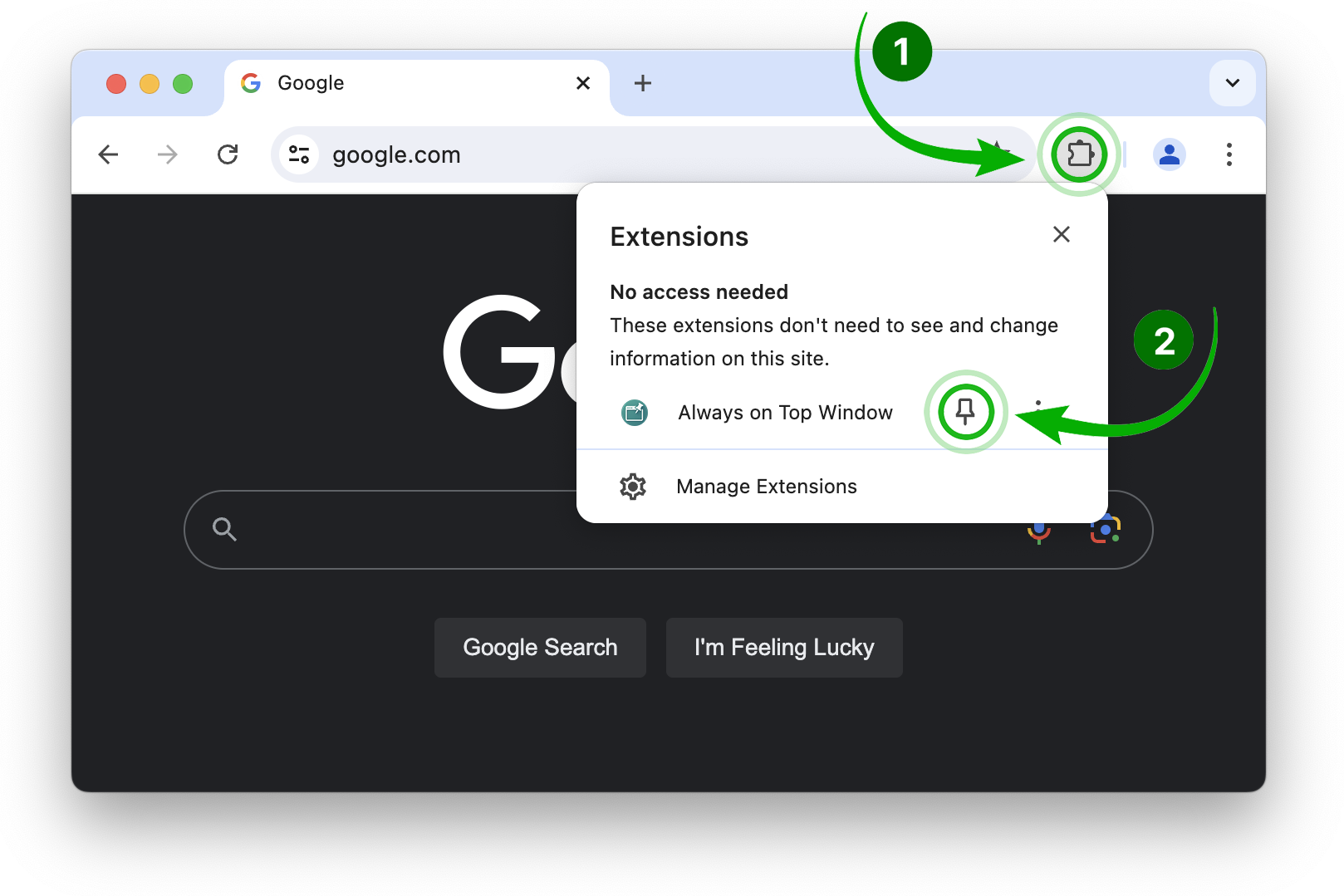
Open Chrome’s Extensions menu, then click the pin beside Always on Top Window so its icon stays in your toolbar.
-
Step 02
Float the current tab
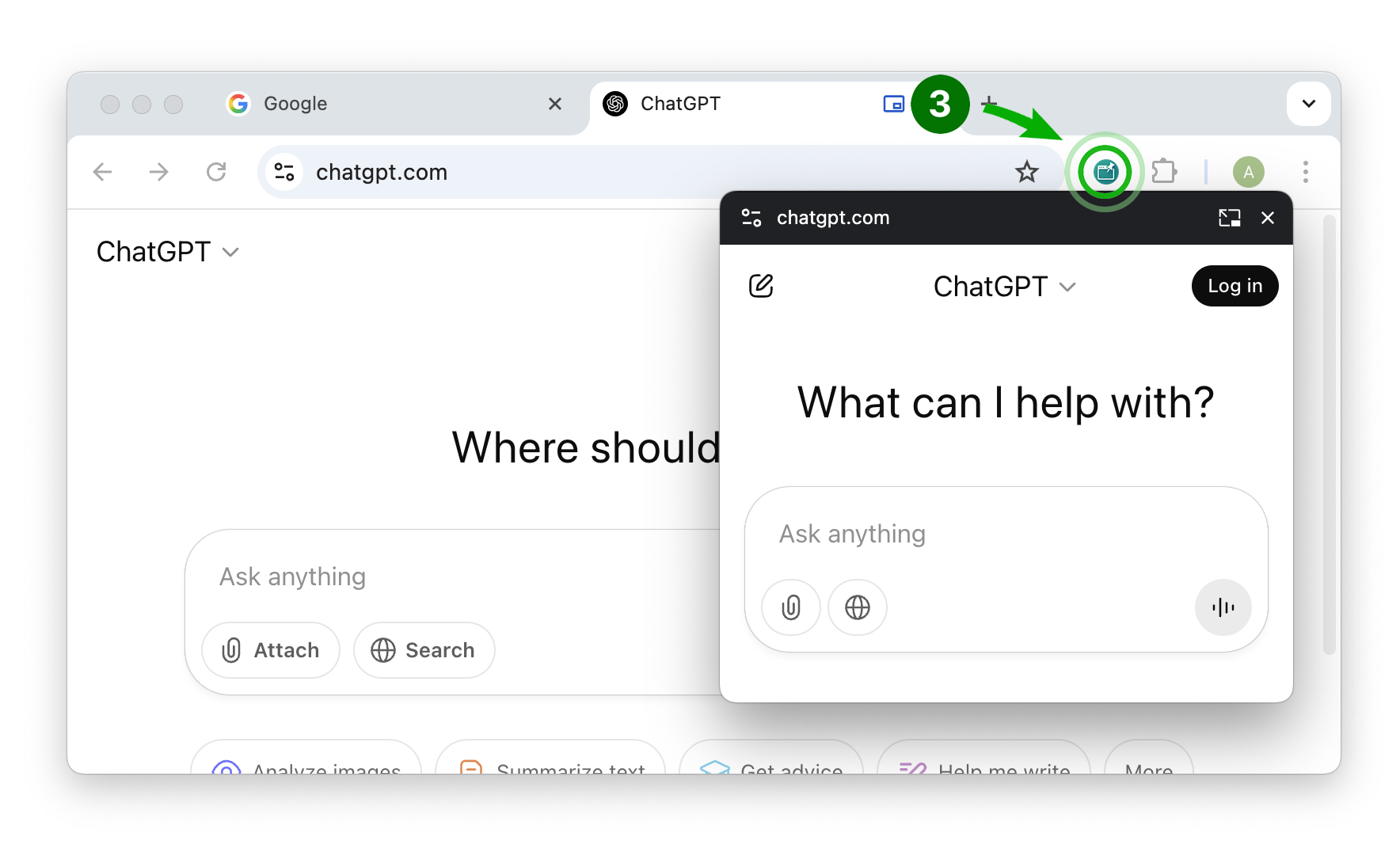
Open the webpage you want to keep visible and click the extension icon. A separate floating window will appear.
-
Step 03
Or float any link
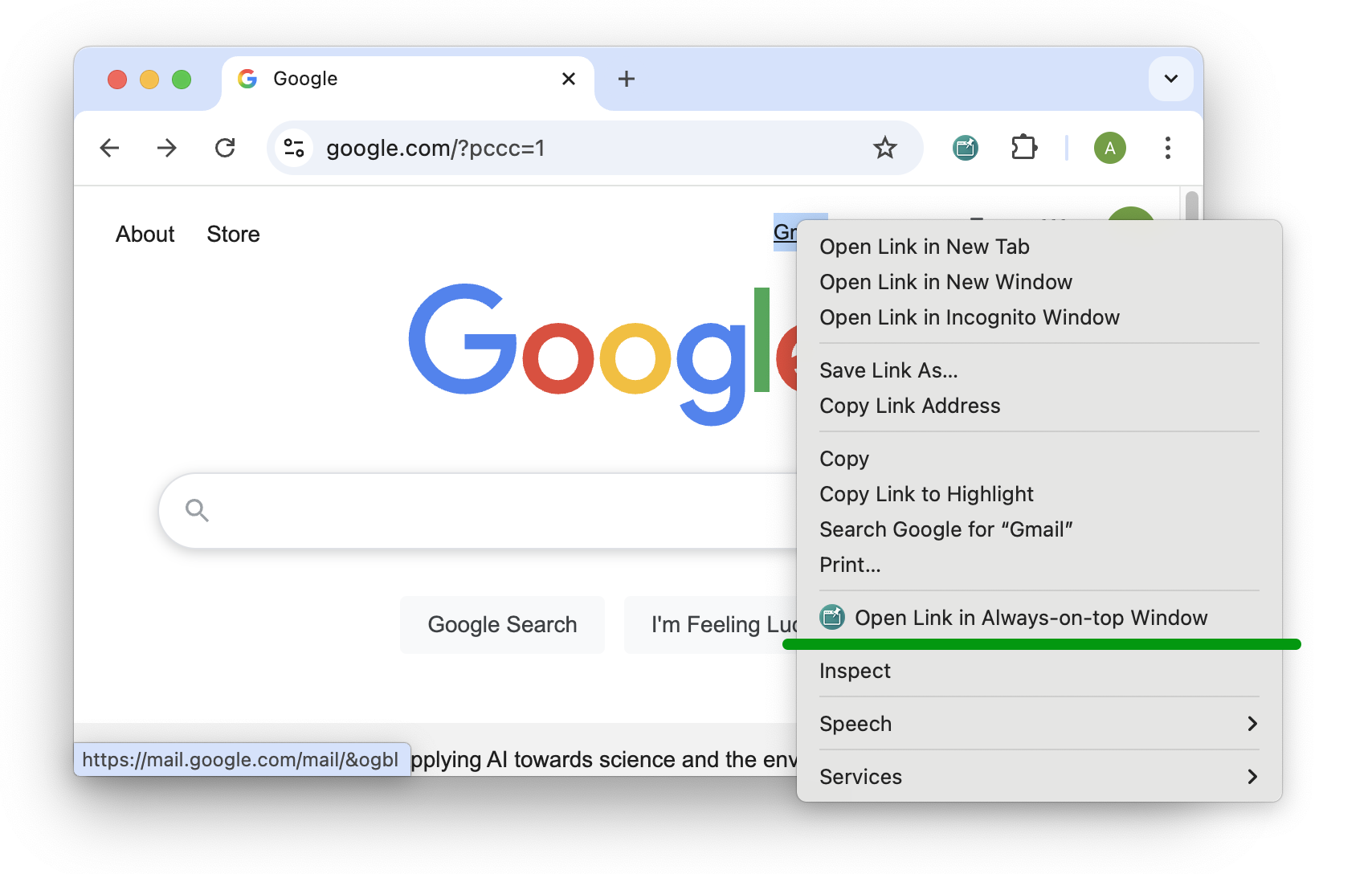
Right-click a link and select “Open Link in Always-on-top Window” to launch it directly.